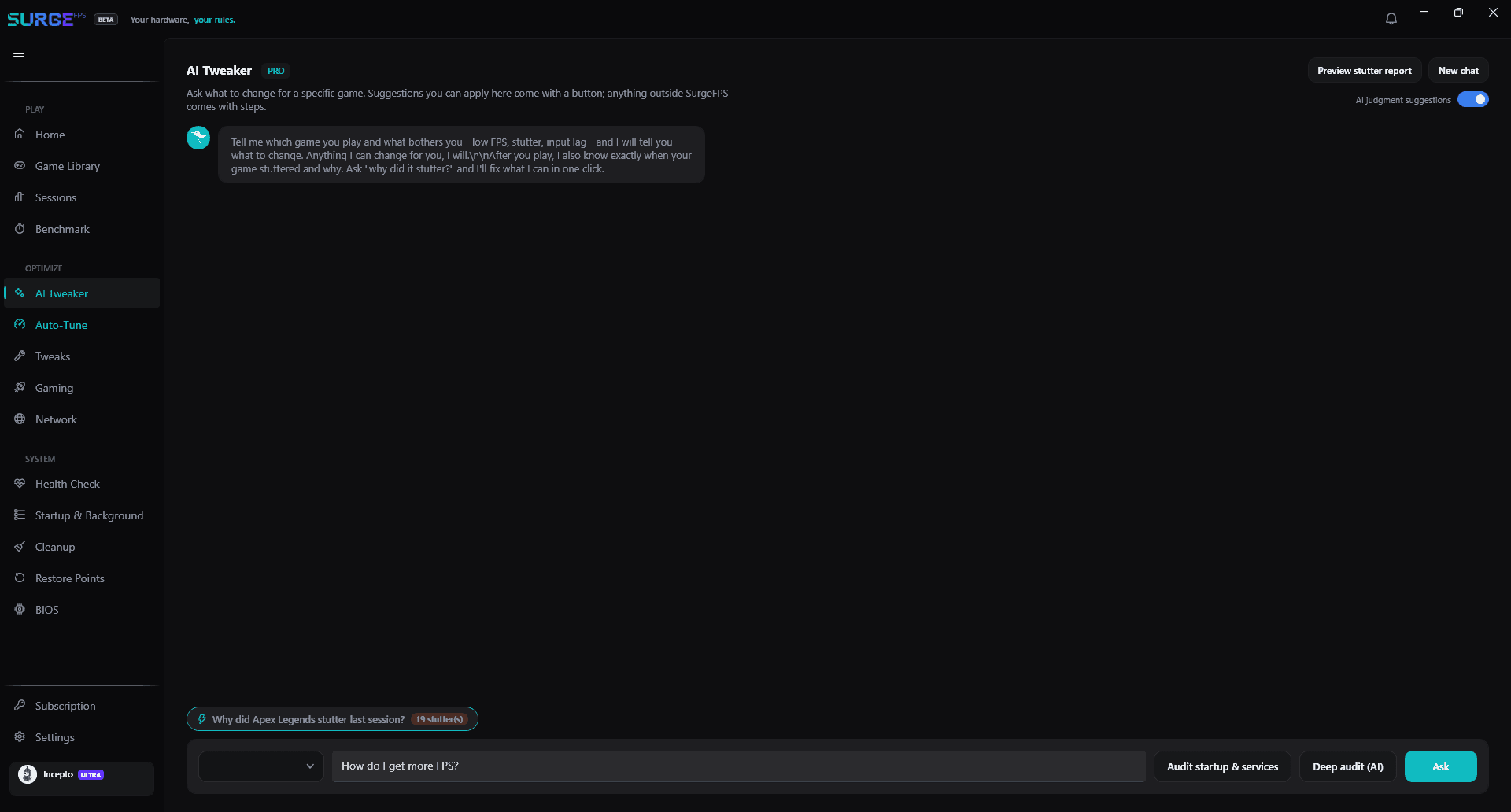
Stop guessing. Ask the AI Tweaker.
Tell it the game you play and what's bothering you — low FPS, stutter, input lag. It replies with a short, honest plan and applies it in one click.
- One-click apply — every suggestion is a real, reversible tweak, not a script you paste.
- Grounded, never hallucinated — it can only ever suggest what your build can actually do.
- Or run a one-click audit of startup apps and services — no question needed.
How it works
Three steps. No guesswork.
- 1
Ask
Pick your game and describe the problem in plain words — stutter, input lag, low FPS.
- 2
Review
Get a short plan built only from tweaks your PC supports, each with its risk and expected gain.
- 3
Apply
Approve it and it's applied in one click. Everything is reversible from the same screen.
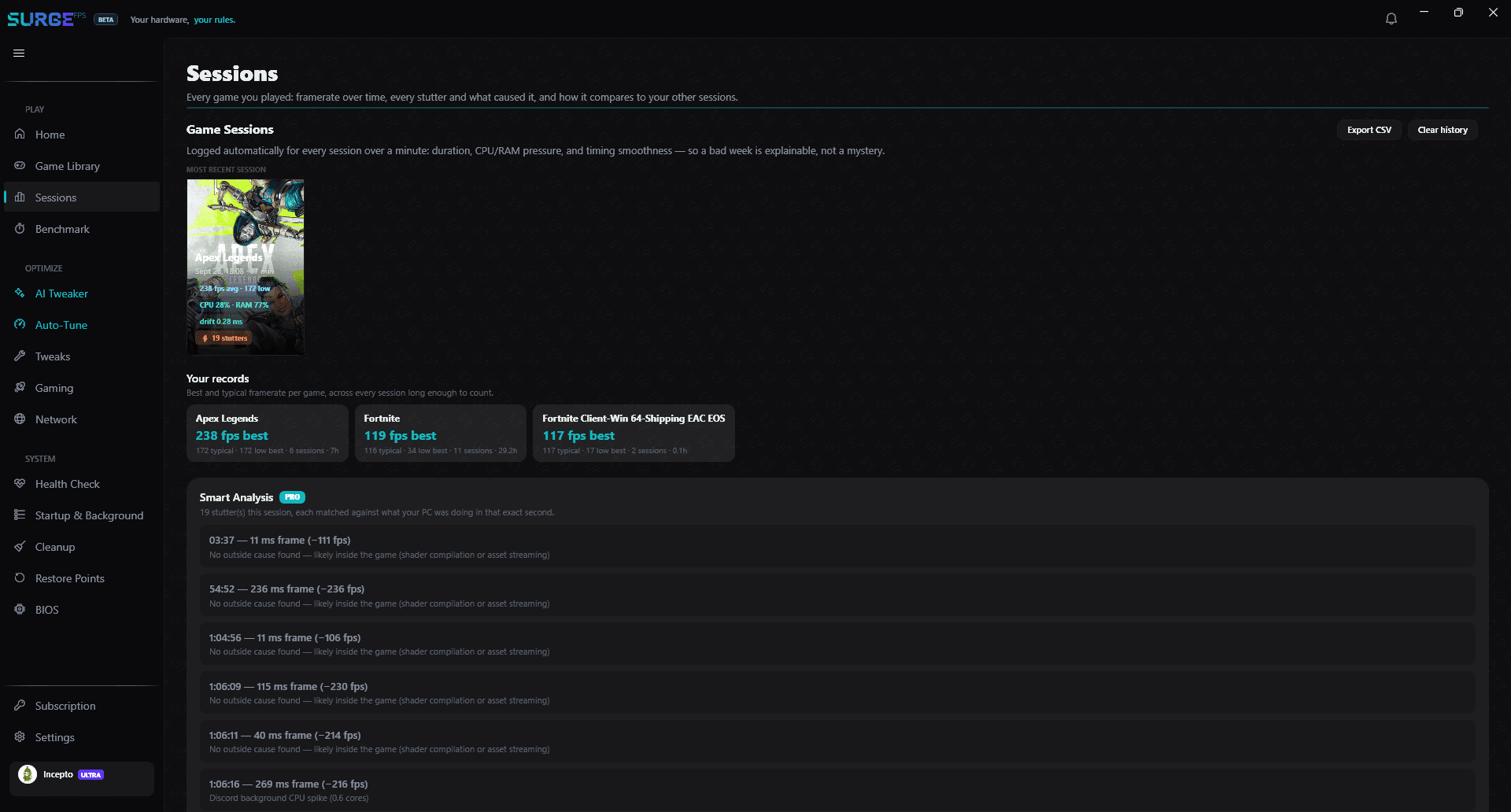
Stutter? See exactly why.
SurgeFPS logs every game you play and catches stutters as they happen — then shows you what caused each one, measured on your own PC, not guessed.
- A framerate chart of real gameplay only — lobbies, loading screens and alt-tabs are shaded out, not averaged in.
- Every stutter marked on the chart with its measured cause — a Discord CPU spike, a Defender scan, GPU thermal throttling.
- One-click fixes with Undo — or ask the AI Tweaker to fix them for you.
How it works: every frame over 33 ms that sits well above your game's normal frame time — or a 40%+ collapse in 1% lows — is matched to a 1-second snapshot of your system: top CPU processes, disk I/O (including Defender and Windows Update), network packet loss and GPU thermal throttling.
Try the AI Tweaker free for 7 days
Included with Pro. The core optimizations stay free forever.